

Quick Answer
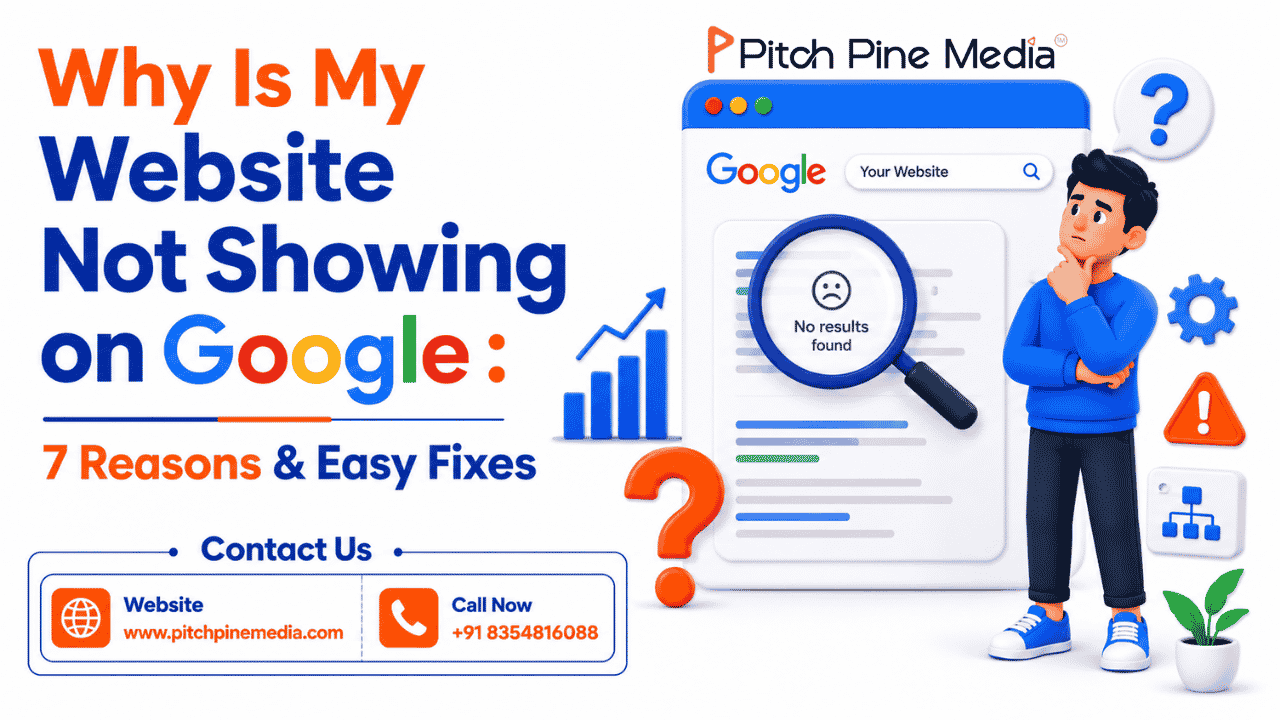
Your website may not appear on Google because it hasn’t been indexed yet, has a “noindex” tag accidentally turned on, or lacks enough quality content. The fastest way to check: type site : yourwebsite.com in Google. If nothing shows up, your site isn’t indexed yet. The fix? Submit your sitemap through Google Search Console. Most visibility problems are technical, fixable, and don’t require you to be a developer.
Introduction
You spent weeks, maybe months building your website. You picked the design, wrote the content, chose the domain name, and finally hit “publish.” Then you search for your business on Google.
You scroll through the results. It’s like your website doesn’t exist.
If this sounds familiar, you’re not alone. Thousands of business owners face this exact frustration every day. The good news? In almost every case, there’s a specific, fixable reason your website isn’t showing up on Google and you don’t need to be a tech expert to fix it.
In this guide, we’ll walk you through the 7 most common reasons your website is invisible on Google, and exactly what to do about each one.
Let’s start with a simple check.
Open Google and type this:
site:yourdomain.com Replace “yourdomain.com” with your actual website address.
- Results show up? Great, your site is indexed. Your problem is about ranking, not indexing (keep reading).
- Nothing shows up? Your site isn’t in Google’s system yet. Start with Reason #1 below.
Reason 1: Google Hasn’t Indexed Your Site Yet
This is the reason new websites don’t appear on Google and it’s completely normal.
Google uses automated programs called “crawlers” or “bots” to discover websites across the internet. These bots visit billions of pages, read their content, and store them in Google’s index, a massive library of web pages. When someone searches on Google, it pulls results from this index.
If your website isn’t in the index, it literally cannot appear in any search result.
How long does indexing take?
For brand-new websites, indexing can take anywhere from a few days to several weeks, depending on how many other websites link to yours and how often Google’s bots visit your domain.
How to fix it:
The fastest way to speed things up is Google Search Console, a free tool from Google specifically built for website owners.
Here’s what to do:
- Go to Google Search Console and add your website
- Navigate to Sitemaps in the left menu
- Submit your sitemap URL (usually yourdomain.com/sitemap.xml)
- Use the URL Inspection Tool to request indexing for your most important pages
Once submitted, Google’s bots will prioritize crawling your site. You should start seeing results within a few days.
Still not indexed after 2 weeks? It usually means a deeper technical issue: a misconfigured robots.txt, no index tag, or poor site structure. Our team at Pitch Pine Media offers a free SEO audit that pinpoints exactly why Google is ignoring your site
Reason 2: The “Noindex” Tag Is Accidentally Turned On
This is one of the most common and most overlooked reasons websites disappear from Google.
A “noindex” tag is a small piece of code that tells Google: “Do not show this page in search results.” It was designed for pages you genuinely don’t want indexed like thank-you pages, admin pages, or staging environments.
The problem? Many website builders and WordPress plugins have this setting turned on by default during development. When you launch your site, it sometimes gets forgotten and Google silently obeys the instruction to stay away.
How to check:
If you’re using WordPress:
- Go to Settings → Reading
- Look for “Discourage search engines from indexing this site”
- Make sure the checkbox is unchecked
If you’re using an SEO plugin like Yoast or Rank Math:
- Go to the plugin settings
- Check whether “noindex” is enabled site-wide or on specific pages
You can also check any page by right-clicking → View Page Source → search for noindex. If you see <meta name=”robots” content=”noindex”>, that’s the culprit.
How to fix it:
Simply turn off the noindex setting in your CMS or SEO plugin settings. Save changes, and within a few days Google will revisit and index your pages.
Pro tip: If your site was built on WordPress and you’re unsure about technical settings, our WordPress SEO services include a full technical audit to catch exactly these kinds of hidden blockers.
Reason 3: Your robots.txt File Is Blocking Google
Think of your robots.txt file as a set of instructions you leave at the door for Google’s bots. It tells them which parts of your website they’re allowed to visit and which parts to skip.
If this file is misconfigured, it can accidentally tell Google to stay away from your entire website.
How to check:
Type this into your browser: yourdomain.com/robots.txt
If you see something like this, you have a serious problem:
User-agent: *
Disallow: /
That single line tells Google not to crawl any page on your site.
How to fix it:
For most small business websites, your robots.txt should look like this:
User-agent: *
Disallow:
The empty “Disallow” means: crawl everything. If you’re unsure, paste your robots.txt into Google Search Console’s robots.txt Tester and it will highlight any issues.
For ecommerce websites, robots.txt configuration is especially critical; blocking the wrong pages can wipe out your product rankings overnight. Our Ecommerce SEO specialists handle this as part of every technical SEO setup.
Reason 4: Your Website Is Too New
Here’s an honest truth that many website owners aren’t told upfront: new websites take time, sometimes a lot of it.
Even after Google indexes your site, it won’t necessarily rank it immediately. Google needs to establish trust in your domain. It looks at signals like how long your domain has been active, how many reputable websites link to yours, and how consistently you publish useful content.
For a brand-new website (less than six months old), it’s completely normal to have minimal Google visibility. New domains take time to build authority in Google’s eyes, and indexing alone can take days to weeks depending on external signals. Once your site is indexed, the next challenge is ranking and that’s a separate game altogether. We’ve covered it in depth in our guide on proven SEO strategies to rank higher on Google.
What you can do right now:
- Publish at least 5–10 pages of quality content to give Google something to work with
- List your business on free directories like Google Business Profile, Justdial, or IndiaMart (these create backlinks to your site)
- Share your website on social media even social signals help Google discover new pages faster
- Get at least one or two external websites to link back to you (local newspapers, business associations, partner websites)
Think of it like opening a new shop. You don’t expect a crowd on day one. You build a reputation over time.
Want to speed this up significantly? Guest posting on established websites in your industry is one of the fastest ways to build domain authority for a new site. It gets your brand in front of real audiences and earns Google’s trust at the same time.
Reason 5: Slow Page Speed Is Hurting Your Rankings
Google cares deeply about user experience and nothing ruins user experience quite like a slow website.
Page speed is a confirmed Google ranking factor. If your website takes more than 3 seconds to load, Google will rank it lower than faster competitors, even if your content is better. On mobile, where most searches happen, users are especially likely to abandon a slow page.
Common speed problems and their fixes:
| Problem | Fix |
| Large, uncompressed images | Use tools like TinyPNG to compress before uploading |
| Too many plugins (WordPress) | Deactivate plugins you don’t actively use |
| No caching enabled | Install a caching plugin like WP Rocket or W3 Total Cache |
| Cheap shared hosting | Upgrade to a faster hosting plan |
| No CDN (Content Delivery Network) | Use Cloudflare’s free plan to serve content faster globally |
Aim for a PageSpeed score above 70 on mobile. Every second you shave off your load time can meaningfully improve your rankings.
Page speed is a web development issue as much as an SEO issue. If your site consistently scores below 50, the problem is likely in the code, not just images. Our web development team specialises in building fast, performance-optimised websites from the ground up.
Reason 6: Your Website Isn’t Mobile-Friendly
Here’s a number that should change how you think about your website: over 60% of all Google searches happen on mobile devices phones and tablets, not desktops.
Because of this, Google moved to what it calls “mobile-first indexing.” This means Google looks at the mobile version of your website first when deciding where to rank it, not the desktop version.
So if your site looks great on a laptop but breaks on a phone, tiny text, overflowing images, buttons too small to tap Google ranks it lower, even if your content is excellent.
How to check in 30 seconds:
Use Google’s free Mobile-Friendly Test. Enter your URL it tells you instantly whether your site passes or fails.
Signs your site isn’t mobile-friendly:
- Users have to pinch and zoom to read text
- Images are cut off or overflow the screen
- Buttons are too small to tap accurately
- Content loads differently on desktop vs phone
How to fix it:
If your website was built on WordPress, switch to a “responsive” theme one that automatically adjusts to any screen size. Most modern themes (Astra, GeneratePress, Kadence) are responsive by default.
Starting fresh or redesigning? Our website designing service ensures every site we build is fully responsive, mobile-first, and optimised for Google’s Core Web Vitals from day one so you never have to deal with this problem again.
Reason 7: Thin or Duplicate Content
This is the reason that surprises most business owners because it’s not about technical settings, it’s about what you’ve actually written.
In 2026, simply having a website is not enough. Google’s job is to send users to the most helpful, most informative answer for their search. If your website has only a few sentences per page, generic service descriptions with no real information, or content copied from another website, Google will skip you in favour of a competitor who goes deeper.
Google calls these “thin content” pages that don’t give users enough value to be worth showing.
Signs you have a thin content problem:
- Your homepage just says “Welcome to [Business Name]. We offer quality services.”
- Your service pages have fewer than 300 words
- Multiple pages on your site say almost the same thing
- You’ve copy-pasted descriptions from a supplier’s website
How to fix it:
Rewrite your key pages with real, useful information. For each service or product page, aim for at least 500–800 words that answer:
- What exactly is this service?
- Who is it for?
- How does it work?
- What results can customers expect?
- Why should they choose you over competitors?
Also consider adding a blog like the one you’re reading right now. A blog gives Google fresh content to index regularly and helps you rank for questions your potential customers are already searching.
Content strategy is where most businesses get stuck. Knowing what to write, how to structure it, and how often to publish is a discipline in itself. Our digital marketing services include content strategy and blog management so your site never runs out of things to say to Google.
Summary: Your 7-Point Google Visibility Checklist
| Problem | Quick Fix |
| 1. Site not indexed | Submit sitemap in Google Search Console |
| 2. Noindex tag is on | Turn it off in CMS or SEO plugin settings |
| 3. robots.txt blocking Google | Check and update your robots.txt file |
| 4. Website is too new | Build backlinks, list on directories, publish content |
| 5. Slow page speed | Compress images, use caching, upgrade hosting |
| 6. Not mobile-friendly | Switch to a responsive theme or redesign |
| 7. Thin or duplicate content | Rewrite pages with useful, detailed information |
Start at the top and work your way down. Most businesses will find their problem within the first three.
Still Not Sure What’s Wrong?
Sometimes the issue isn’t obvious; it’s a combination of problems, or something deeper in your website’s technical setup that requires an expert eye.
That’s exactly what we help with at Pitch Pine Media.
With over 15+ years of experience in SEO services and digital marketing, our team can audit your website, identify exactly what’s holding it back from Google, and build a clear plan to fix it whether that’s technical SEO, web development, or a full digital marketing strategy.
Get Your Free SEO Audit from Pitch Pine Media
No jargon. No pressure. Just clear, honest answers about why your website isn’t showing up and what it will take to change that.
Have questions about your website’s Google visibility? The team at Pitch Pine Media is happy to help no strings attached.